


Tomato Thank You Download 2 Books CB
Thankyou for purchasing
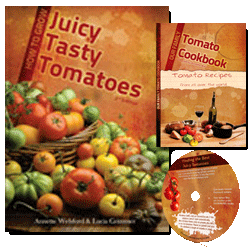
How to Grow Juicy Tasty Tomatoes
with
Our Family Tomato Cookbook and bonuses
You can download the book and bonuses in two ways, depending how fast your internet connection is.
| Fast Internet Connection | |
![]() |
1. Click on the button below
|
| OR | |
|
|
2. RIGHT CLICK on the link below
How to Grow Juicy Tasty Tomatoes then click on Save Target As . This will bring up a download screen with a file name “How to Cook Juicy Tasty Tomatoes ” and will ask you if you want to save it or open it. Click on SAVE TARGET AS or SAVE IT. Choose a folder to save it to and watch where it goes on your hard drive. That’s where you’ll be able to find it. |
|
|
If you’re new to saving files we suggest you save it to your Desktop to make it easy for you to find later.
Go there after the download is complete and double click on the icon to open up the book. |
|
|
If you’ve saved the book to your Desktop, simply double click on the little icon which looks like the one on the left. |
| Slow Internet Connection | |
![]() |
Save two smaller files to your computer
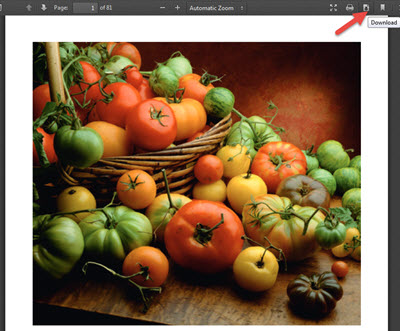
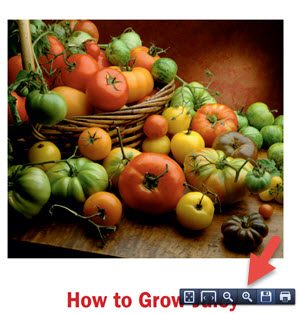
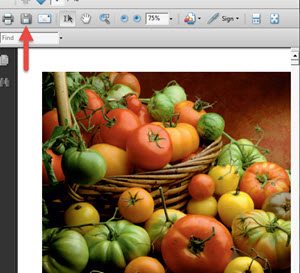
1. Click on the first button below The book will open on your computer in a PDF screen (see left). Click the save icon (the little disc top left) and save it to your computer to a folder where you can easily find it later. 2. Click on the second button below and repeat step 1. |
| OR | |
![]() |
1. RIGHT CLICK on the first link below
How to Grow Juicy Tasty Tomatoes Pt 1 then click on Save Target As . This will bring up a download screen with a file name “Tomatoesebookpt1.pdf ” and will ask you if you want to save it or open it. Click on SAVE TARGET AS or SAVE IT. Choose a folder to save it to and watch where it goes on your hard drive. That’s where you’ll be able to find it. |
|
|
2. Repeat for the second file below:
How to Grow Juicy Tasty Tomatoes Pt 2 If you’re new to saving files we suggest you save it to your Desktop to make it easy for you to find later. Go there after the download is complete and double click on the icon to open up the book. Look for the icons on your Desktop. |
| Download “Our Family Tomato Cookbook” | |
![]() |
Click on the button below to download and save Our Family Tomato Cookbook
The book will open on your computer in a PDF screen (see left). Click the save icon (the little disc top left) and save it to your computer to a folder where you can easily find it later. |
| Download Bonuses | |
![]() |
Click on the button below to download and save your four bonuses. |
| Online Bonuses | |
![]() |
Click Here to go to the online database of the tomato varieties and seed suppliers. We suggest you bookmark this page so you can easily find it again.
www.bestjuicytomatoes.com/varieties Login to the database with Username: tomato Password: tomato
|
Potential problems with the files not opening
You don’t have the Adobe reader installed (or version 7 or later). Remember that the ebooks need the free reader to work.
Click here to get the free software from Adobe.
If you can’t find the books on your computer
Go to START, Click on FIND and enter the words “Tomatoesebookpt1.pdf” in the TEXT box. Click SEARCH and your computer will find the file for you. Repeat the Search for “Tomatoesebookpt2.pdf”
If you want to email us a question about the book, click here or direct your enquiries to infoATbestjuicytomatoes.com